Announcement Bar Section
This global section allows you to display promotional messages and utility features at the top of your website.
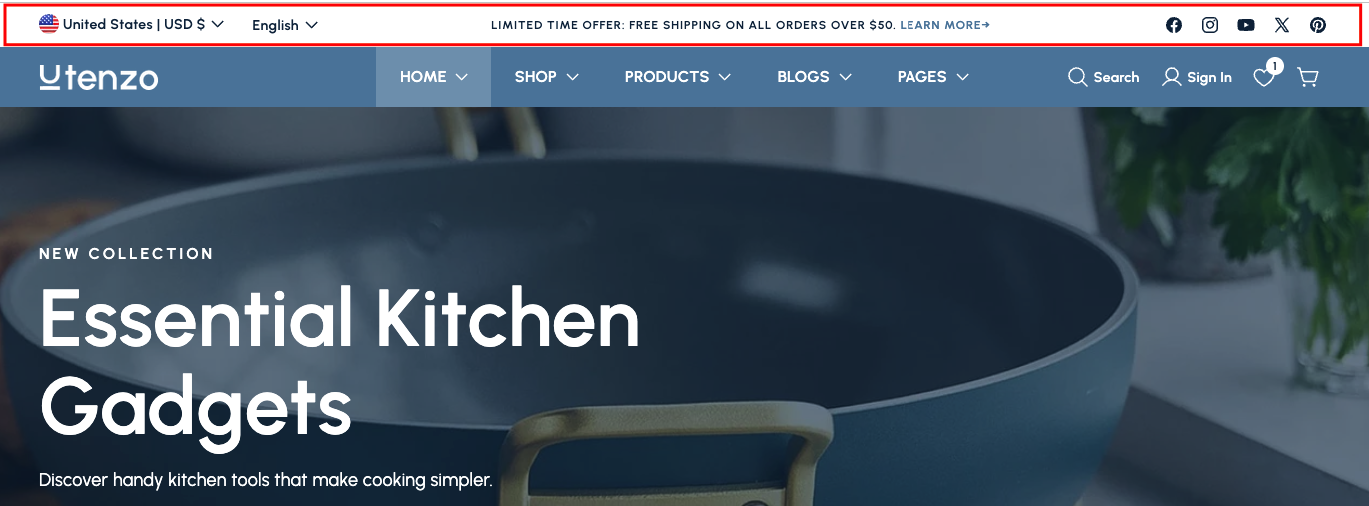
Overview
The Announcement Bar Section is a global component that appears at the very top of your website, above the main header. It's designed to display promotional messages, announcements, and utility features like social media icons, language selectors, and country/region selectors.
This section serves as a prominent communication tool for your store, allowing you to showcase time-sensitive promotions, shipping offers, sales announcements, or any important information you want visitors to see immediately. It also provides utility functions for enhanced user experience.
How to add
Steps:
- In the theme editor (Customize), click Add section
- Locate Announcement bar
- Save
Section Settings
General Settings
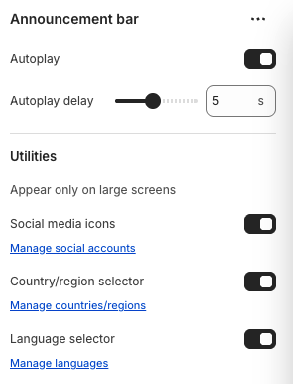
Autoplay
- Automatically cycles through multiple announcements
Autoplay Delay
- Time between automatic announcement transitions
Utility Settings
Social Media Icons
- Display social media icons in the announcement bar
Country/Region Selector
- Display country/region selector for international customers
Language Selector
- Display language selector for multilingual support
Block Settings
Announcement Settings
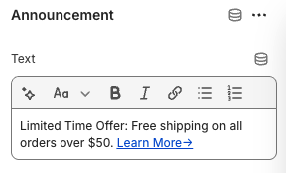
Text
- Description: The announcement message content
- Formatting: Supports all html formatting tags for richtext styles
Best Practices
Content Strategy
- Keep announcements concise and compelling
- Use clear call-to-action language
- Highlight time-sensitive offers and promotions
- Ensure messages are relevant to your target audience
- Test different messaging approaches
User Experience
- Don't overwhelm users with too many announcements
- Use appropriate autoplay timing (3-7 seconds recommended)
- Ensure text is readable and accessible
- Test on different devices and screen sizes
- Consider mobile user experience
Utility Features
- Configure social media accounts properly
- Set up language options for your target markets
- Configure country/region settings for international shipping
- Test all utility features regularly
- Ensure links and selectors work correctly
Visual Design
- Maintain consistent branding with your theme
- Use appropriate colors and typography
- Ensure good contrast for readability
- Test visibility on different backgrounds
- Consider seasonal or promotional theming
Troubleshooting
Common Issues
Announcements not displaying
- Check if announcements are properly configured
- Verify text content is entered
- Ensure the section is enabled
- Test on different browsers and devices
Autoplay not working
- Check autoplay toggle is enabled
- Verify autoplay delay settings
- Ensure multiple announcements are created
- Test JavaScript functionality
Social media icons not showing
- Verify social media toggle is enabled
- Check social media accounts are configured
- Ensure social media links are valid
- Test icon loading
Language/country selectors not working
- Check selector toggles are enabled
- Verify language/country configurations
- Ensure proper setup in Shopify admin
- Test selector functionality
Mobile display issues
- Check responsive behavior settings
- Verify mobile-specific configurations
- Test on different mobile devices
- Ensure touch targets are appropriate
Performance problems
- Optimize announcement content
- Check autoplay timing settings
- Monitor loading times
- Test on different connection speeds