Blog Posts Section
This section displays blog posts in a grid or slider layout with customizable content options.
Overview
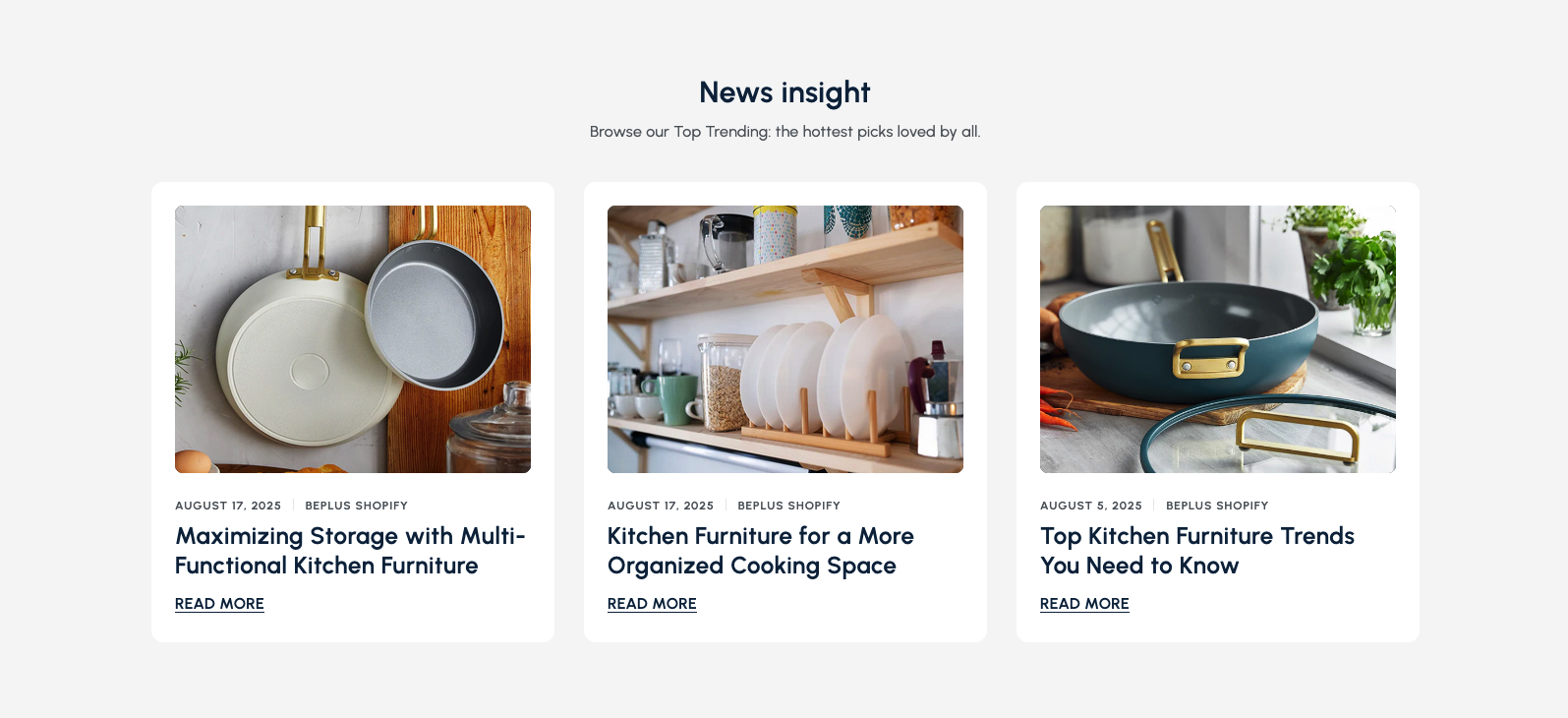
The Blog Posts Section is a versatile component that showcases your blog content on your homepage. This section displays blog posts in an organized grid or slider format, allowing you to highlight your latest articles, tips, and insights to engage visitors and drive traffic to your blog.
The Blog Posts Section provides a clean, organized way to display your blog content. It features customizable layouts, content options, and styling controls to match your brand and website design. Perfect for sharing industry insights, product tips, and company updates.
How to add
Steps:
- In the theme editor (Customize), click Add section
- Select Blog posts
- Save
Section Settings
General Settings
Blog Selection
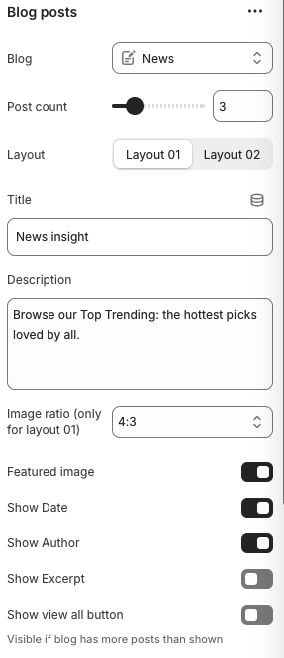
- Select which blog to display posts from
Post Count
- Number of blog posts to display
Layout Options
- Options: Layout 01, Layout 02
- Description: Choose between different visual layouts for blog posts
Title
- Main heading displayed above the blog posts section
Description
- Subtitle or descriptive text below the main title
Image Ratio
- Options: 1:1, 3:4, 4:3, 16:9
- Note: Only applies to Layout 01
- Description: Aspect ratio for blog post images
Featured Image
- Display the featured image for each blog post
Show Date
- Display the publication date for each blog post
Show Author
- Display the author name for each blog post
Show Excerpt
- Display a brief excerpt from the blog post content
Show View All Button
- Note: Visible if blog has more posts than shown
- Description: Display a "View All" button to link to the full blog
Slider Settings
Autoplay
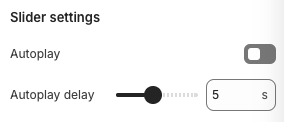
- Automatically advances to the next set of posts
Autoplay Delay
- Note: Works when autoplay is enabled
- Description: Time between automatic slide transitions
Layout Settings
Background Section
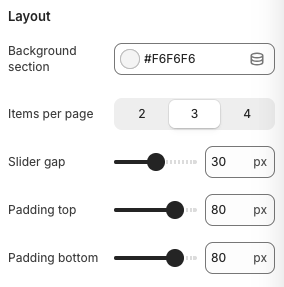
- Background color for the entire section
Items Per Page
- Number of posts visible at once in slider mode
Slider Gap
- Spacing between blog post cards
Padding Top
- Top padding for the section
Padding Bottom
- Bottom padding for the section
Best Practices
Content Strategy
- Choose a blog that aligns with your brand and audience
- Display posts that are relevant and engaging
- Keep post titles concise and compelling
- Use high-quality featured images
Visual Design
- Ensure featured images are high-quality and relevant
- Use consistent image ratios for a clean look
- Choose a layout that complements your website design
- Test readability on different screen sizes
Blog Management
- Keep your blog updated with fresh content
- Use descriptive titles and meta descriptions
- Include relevant keywords in your blog posts
- Optimize images for web delivery
User Experience
- Make it easy for visitors to navigate to full posts
- Include clear call-to-action buttons
- Ensure mobile responsiveness
- Test loading times and performance
Troubleshooting
Common Issues
Blog posts not displaying
- Verify the selected blog exists and has published posts
- Check blog visibility settings in Shopify admin
- Ensure posts are published and not drafts
- Verify blog post count is set correctly
Images not showing
- Check if featured images are uploaded to blog posts
- Verify image format is supported
- Ensure images are properly sized
- Test image loading on different devices
Layout issues
- Check layout option settings
- Verify image ratio settings
- Test responsive breakpoints
- Ensure proper CSS loading
Slider not working
- Check if JavaScript is enabled
- Verify no conflicts with other scripts
- Test navigation arrows functionality
- Ensure proper CSS is loaded
Mobile responsiveness problems
- Check mobile slider gap settings
- Verify mobile padding settings
- Test touch navigation on mobile
- Ensure text is readable on small screens
Performance issues
- Optimize blog post images
- Reduce number of posts if needed
- Check image file sizes
- Consider lazy loading for images