Header Section
This global section controls the main navigation, logo placement, and header functionality across your website.
Overview
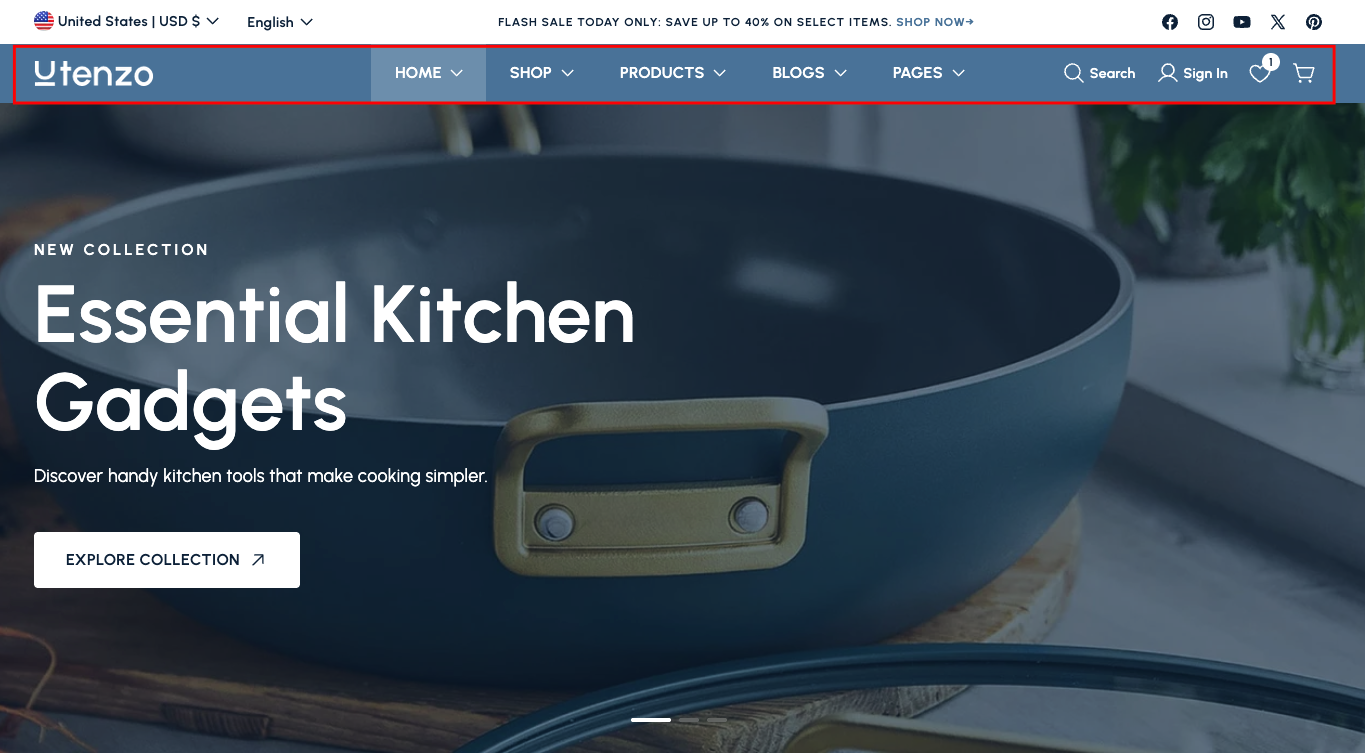
The Header Section is a global component that appears on every page of your website, providing essential navigation, branding, and user interface elements. It's one of the most important sections for user experience and brand presentation.
This section controls the main header area of your website, including logo placement, navigation menus, search functionality, user account access, shopping cart, and wishlist features. It's designed to provide easy navigation and access to key features while maintaining your brand identity.
How to add
Steps:
- In the theme editor (Customize), click Add section
- Locate Header
- Save
Section Settings
General Settings
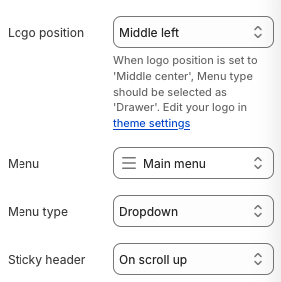
Logo Position
- Description: Controls where the logo appears in the header
- Note: "Middle center" logo position with "Drawer" menu type available in theme settings
Menu
- Select which menu to display in the header
Menu Type
- Options: Dropdown, Drawer, Classic
- Description: Choose how the menu behaves and displays
Sticky Header
- Options: On scroll up, Always, Always and reduce logo size, Off
- Description: Controls when the header becomes sticky during scrolling
Icon Settings
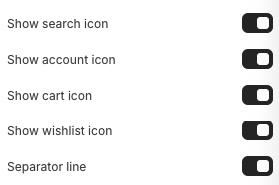
Show Search Icon
- Display the search icon in the header
Show Account Icon
- Display the account/user icon in the header
Show Cart Icon
- Display the shopping cart icon in the header
Show Wishlist Icon
- Type: Toggle switch
- Options: On, Off
- Default: On
- Description: Display the wishlist icon in the header
Separator Line
- Display a separator line in the header
Background Section
- Background color for the header section
Spacing Settings
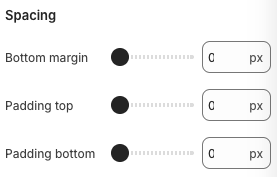
Bottom Margin
- Bottom margin for the header on desktop
Padding Top
- Top padding for the header on desktop
Padding Bottom
- Bottom padding for the header on desktop
Best Practices
Logo and Branding
- Use a high-quality, properly sized logo
- Ensure logo is readable on different backgrounds
- Consider logo placement for optimal brand visibility
- Test logo appearance on different screen sizes
Navigation Design
- Keep menu items clear and descriptive
- Limit the number of main menu items (5-7 recommended)
- Use dropdown menus for subcategories
- Ensure navigation is intuitive and user-friendly
User Experience
- Make search functionality easily accessible
- Ensure cart and account icons are prominent
- Test sticky header behavior on different devices
- Optimize header for mobile navigation
Visual Design
- Choose background colors that complement your brand
- Ensure good contrast for readability
- Use appropriate spacing for visual balance
- Test header appearance across different pages
Mobile Optimization
- Ensure header elements are touch-friendly
- Test mobile menu functionality
- Optimize spacing for mobile devices
- Consider mobile-specific navigation patterns
Troubleshooting
Common Issues
Logo not displaying
- Check if logo is properly uploaded
- Verify logo file format and size
- Ensure logo position settings are correct
- Test logo visibility on different backgrounds
Navigation menu not working
- Verify menu selection is correct
- Check menu type settings
- Ensure menu items are properly configured
- Test dropdown functionality
Sticky header not working
- Check sticky header setting
- Verify JavaScript is properly loaded
- Test on different browsers
- Ensure no CSS conflicts
Icons not showing
- Check individual icon toggle settings
- Verify icon functionality is enabled
- Test icon interactions
- Ensure proper styling
Mobile display issues
- Check mobile spacing settings
- Verify mobile menu functionality
- Test touch targets on mobile
- Ensure responsive behavior
Search functionality problems
- Verify search icon is enabled
- Check search overlay functionality
- Test search form submission
- Ensure search results display correctly
Performance issues
- Optimize header images and logos
- Check for JavaScript conflicts
- Monitor loading times
- Test on different devices and connections