Featured Product Hotpots Section
This interactive section allows you to create clickable hotpots on images that showcase specific products.
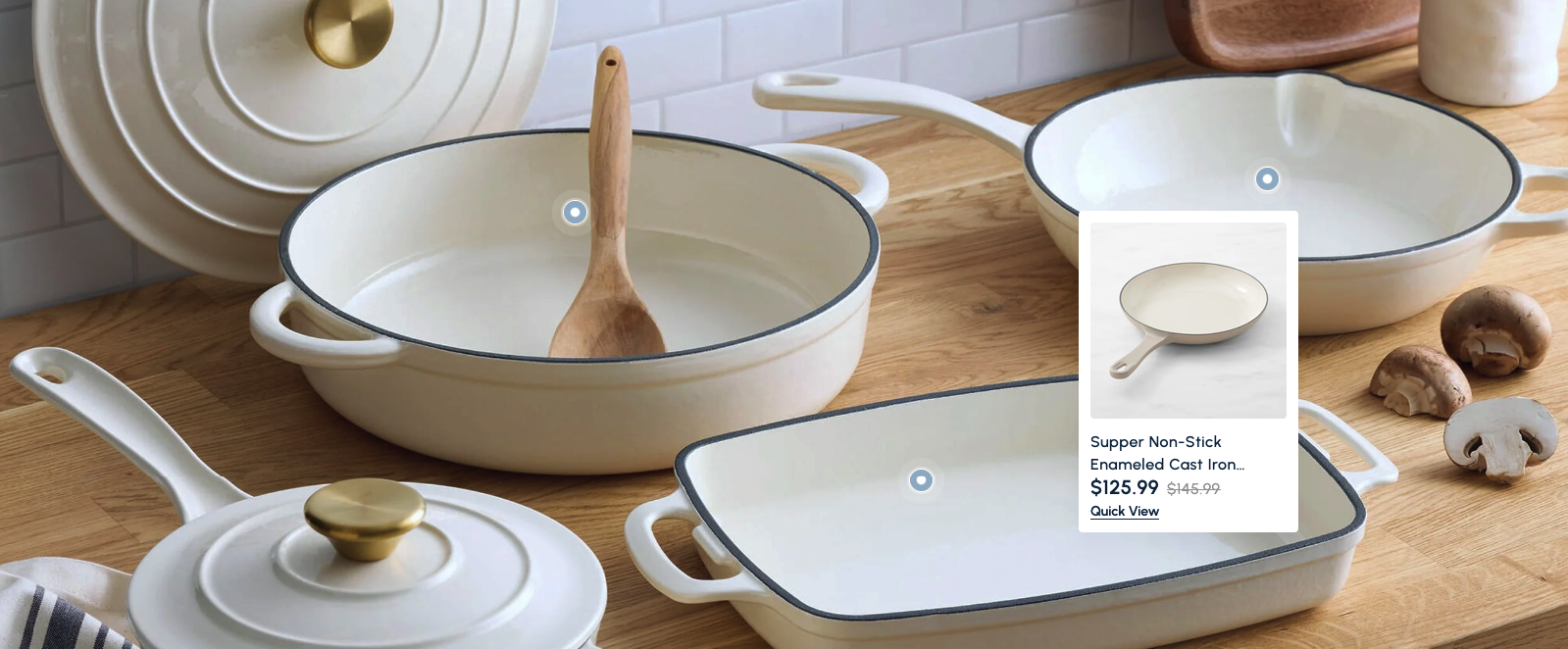
Overview
The Featured Product Hotpots Section is an interactive component designed to showcase products through clickable hotpots overlaid on lifestyle or product images. It's perfect for creating engaging, interactive product discovery experiences that allow customers to explore products within a contextual setting.
This section allows you to place interactive hotpots on a main image, each linking to a specific product. When users click on a hotspot, they see a product card with details and can access the product page. It's ideal for showcasing products in use, creating interactive lookbooks, or highlighting specific items within a lifestyle setting.
How to add
Steps:
- In the theme editor (Customize), click Add section
- Select Featured product hotpots
- Save
Section Settings
General Settings
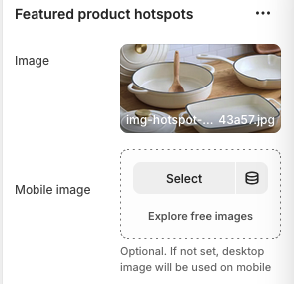
Image
- Format: JPG, PNG, WebP
- Recommended Size: High-resolution image (1920x1080px or larger)
- Description: The main background image where hotpots will be placed
Mobile Image
- Format: JPG, PNG, WebP
- Description: Optional mobile-specific image. If not set, desktop image will be used on mobile
- Note: "Optional. If not set, desktop image will be used on mobile"
Layout Settings
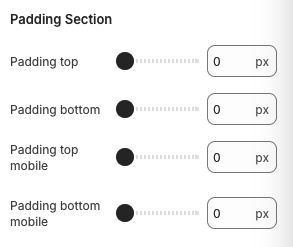
Padding Top
- Top padding for the section
Padding Bottom
- Bottom padding for the section
Padding Top Mobile
- Top padding for the section on mobile devices
Padding Bottom Mobile
- Bottom padding for the section on mobile devices
Block Settings
Product hotpot Settings
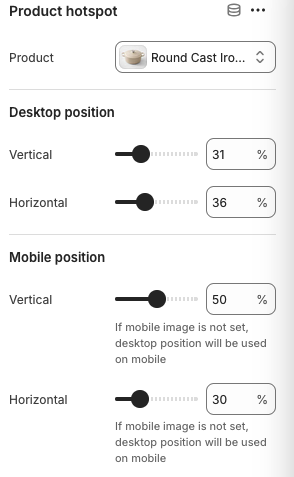
Product
- Select the product to associate with this hotpot
Desktop Position
- Vertical:
- Vertical position of the hotpot on desktop
- Horizontal:
- Horizontal position of the hotpot on desktop
Mobile Position
- Vertical:
- Vertical position of the hotpot on mobile devices
- Horizontal:
- Horizontal position of the hotpot on mobile devices
- Note: "If mobile image is not set, desktop position will be used on mobile"
Best Practices
Image Selection
- Choose high-quality lifestyle images that showcase your products in context
- Ensure the image has clear areas where products can be highlighted
- Use images that tell a story or show products in use
- Consider the visual balance and composition of hotpot placement
Hotpot Positioning
- Place hotpots on clear, identifiable product areas
- Avoid overlapping hotpots that might confuse users
- Test hotpot positions on both desktop and mobile devices
- Consider the user's natural eye flow when positioning hotpots
Product Selection
- Choose products that are clearly visible in the background image
- Select products that complement each other and the overall theme
- Ensure all selected products are in stock and available for purchase
- Consider the price range and target audience of the products
User Experience
- Make sure hotpots are easily identifiable and clickable
- Test the interactive behavior on different devices and screen sizes
- Ensure product cards load quickly and display accurate information
- Provide clear visual feedback when hotpots are activated
Troubleshooting
Common Issues
Hotpots not appearing
- Check if the background image is properly uploaded
- Verify hotspot positions are within the image boundaries
- Ensure CSS is properly loaded
- Test on different browsers and devices
Product cards not displaying
- Verify product selection is correct
- Check if products are published and available
- Ensure product data is properly loaded
- Test product card functionality
Positioning issues
- Check percentage values for hotspot positions
- Verify mobile vs desktop positioning settings
- Test on different screen sizes
- Ensure responsive behavior is working
Image loading problems
- Optimize image file sizes for web delivery
- Check image format compatibility
- Verify image URLs are correct
- Test image loading on different devices
Mobile responsiveness issues
- Check mobile image settings
- Verify mobile positioning values
- Test touch targets on mobile devices
- Ensure proper scaling on small screens
Performance problems
- Optimize background image size
- Consider lazy loading for product data
- Test loading times on different devices
- Monitor hotspot interaction performance