Footer Section
This global section provides essential information, navigation, and calls-to-action at the bottom of every page.
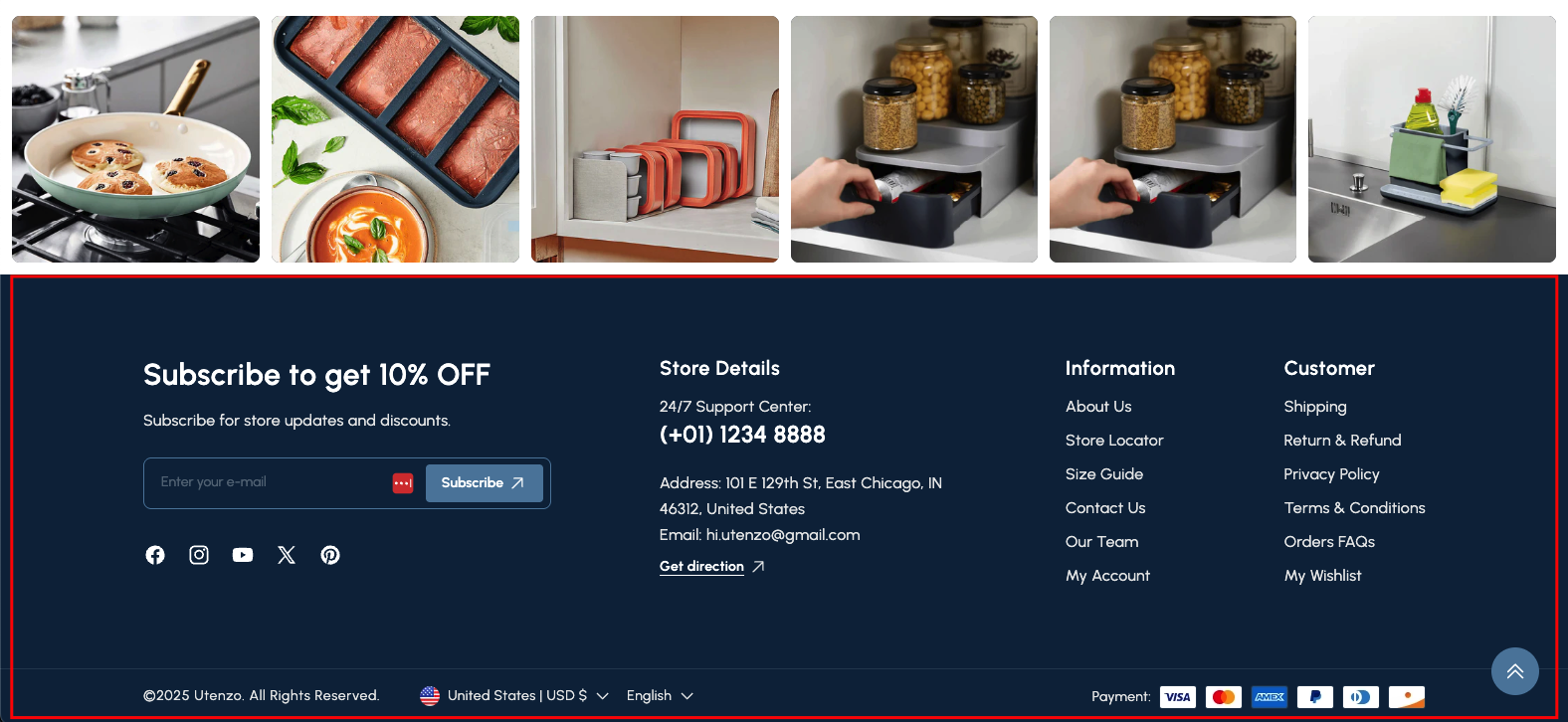
Overview
The Footer Section is a crucial global component that appears at the bottom of every page on your website. It serves as a central hub for important information, secondary navigation, contact details, and calls-to-action like newsletter subscriptions. A well-designed footer enhances user experience by providing easy access to essential links and building trust.
This section is highly customizable, allowing you to organize various content blocks to suit your store's needs. It typically includes newsletter subscription forms, social media links, store contact information, secondary navigation menus, and custom content blocks.
How to add
Steps:
- In the theme editor (Customize), click Add section
- Locate Footer
- Save
Section Settings
Footer Bottom Settings
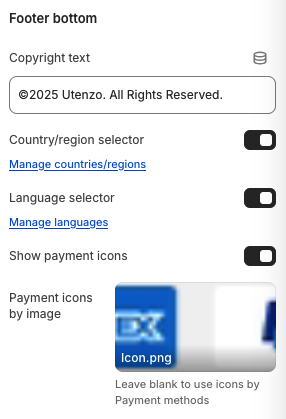
Copyright Text
- Copyright notice displayed at the bottom of the footer
Country/Region Selector
- Display country/region selector for international customers
Language Selector
- Display language selector for multilingual support
Show Payment Icons
- Description: Display payment method icons (Visa, Mastercard, etc.)
Payment Icons by Image
- Description: Custom payment icons image
- Note: "Leave blank to use icons by Payment methods"
Background Section
- Background color for the footer section
Padding Settings
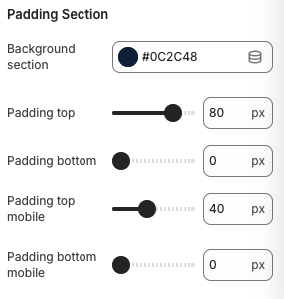
Padding Top
- Top padding for the footer section
Padding Bottom
- Bottom padding for the footer section
Padding Top Mobile
- Top padding for the footer section on mobile
Padding Bottom Mobile
- Bottom padding for the footer section on mobile
Footer Blocks Configuration
1. Newsletter & Social Block
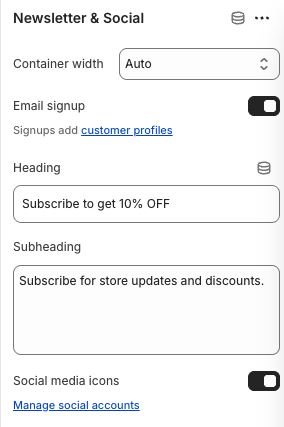
Container Width
- Description: Width of the newsletter block container
Email Signup
- Enable newsletter email signup functionality
Heading
- Main heading for the newsletter section
Subheading
- Descriptive text below the heading
Social Media Icons
- Display social media icons
2. Custom Text - Store Details Block
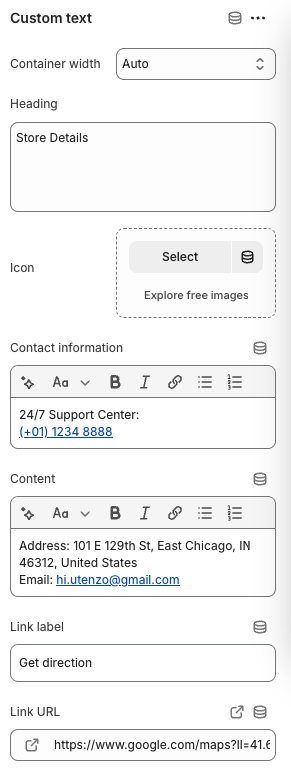
Container Width
- Width of the store details block container
Heading
- Heading for the store details section
Icon
- Icon to display with store details
Contact Information
- Contact information with rich text formatting
Content
- Additional content like address and email
Link Label
- Text for the direction link
Link URL
- URL for the direction link
3. Menu - Information Block
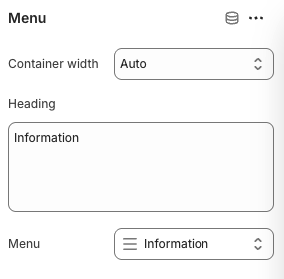
Container Width
- Width of the information menu block container
Heading
- Heading for the information menu section
Menu
- Select which menu to display
4. Custom HTML - Heading Block
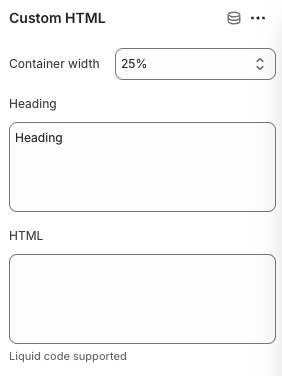
Container Width
- Width of the custom HTML block container
Heading
- Heading text for the custom HTML section
HTML
- Description: Custom HTML content
- Note: "Liquid code supported"
5. Image Block
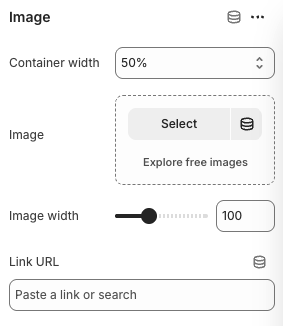
Container Width
- Width of the image block container
Image
- Image to display in the footer
Image Width
- Display width of the image
Link URL
- Link URL for the image
Best Practices
Content Organization
- Group related information logically
- Use clear, descriptive headings
- Keep content concise and scannable
- Ensure all links are functional and relevant
Newsletter Optimization
- Use compelling headlines and offers
- Make the signup form prominent
- Clearly communicate value proposition
- Test different call-to-action text
Contact Information
- Display essential contact details prominently
- Include multiple contact methods
- Ensure address and phone information is current
- Add business hours if applicable
Menu Structure
- Organize links by category (Information vs Customer)
- Use descriptive link text
- Include important legal and policy pages
- Test all menu links regularly
Visual Design
- Maintain consistent branding
- Use appropriate colors and typography
- Ensure good contrast for readability
- Test footer appearance on mobile devices
Troubleshooting
Common Issues
Newsletter not working
- Check email signup toggle is enabled
- Verify form submission functionality
- Test email capture and storage
- Ensure proper error handling
Social media icons not showing
- Verify social media toggle is enabled
- Check social media accounts are configured
- Ensure social media links are valid
- Test icon loading and display
Menu links not working
- Verify menu selection is correct
- Check menu items are properly configured
- Ensure all links are functional
- Test menu navigation
Payment icons not displaying
- Check payment icons toggle is enabled
- Verify payment methods are configured
- Ensure payment icon images are uploaded
- Test payment icon display
Mobile display issues
- Check mobile padding settings
- Verify responsive behavior
- Test footer layout on mobile devices
- Ensure touch targets are appropriate
Custom HTML not rendering
- Verify HTML syntax is correct
- Check for Liquid code errors
- Ensure HTML content is properly escaped
- Test HTML rendering in different browsers