Testimonials Section
This section displays customer reviews and testimonials with product integration and slider functionality.
Overview
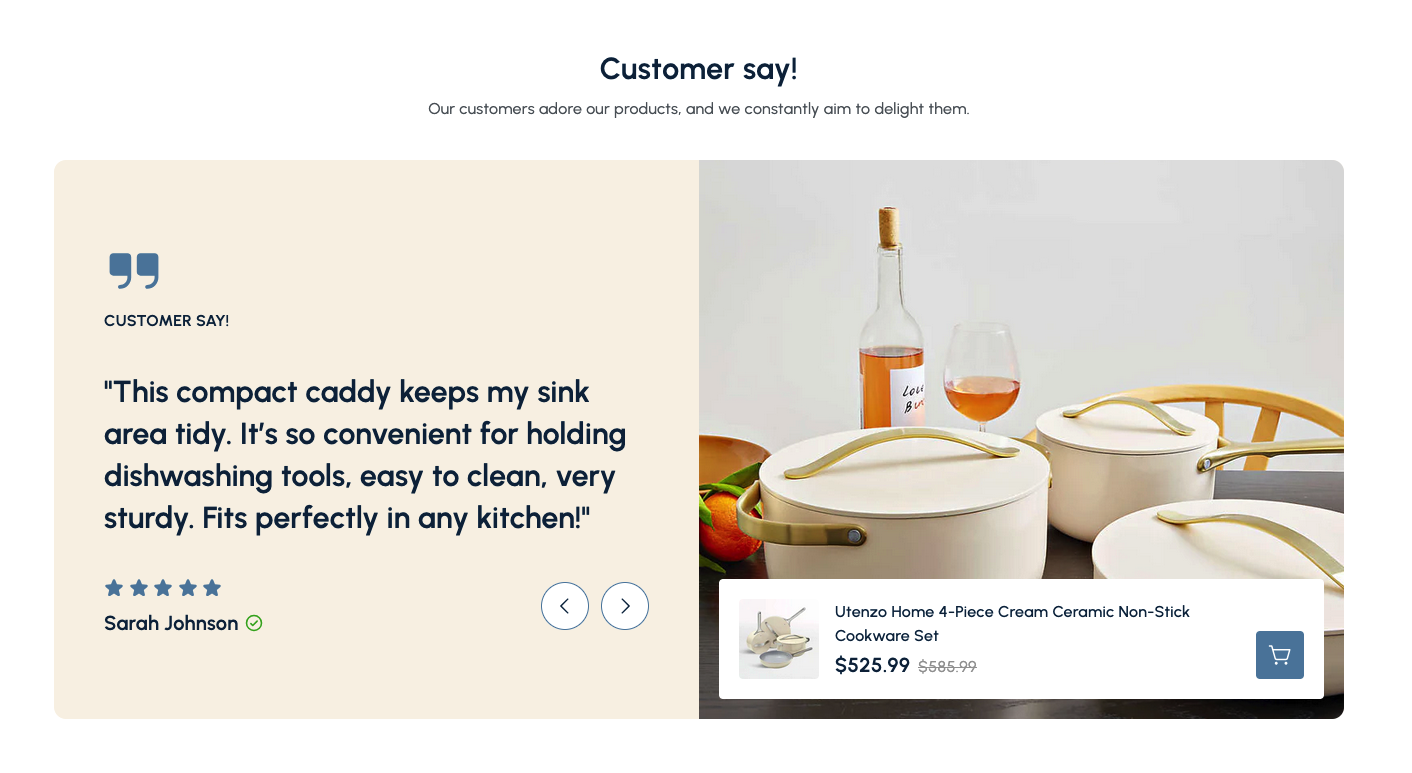
The Testimonials Section is a powerful component that showcases customer reviews and feedback about your products. This section combines customer testimonials with product images, creating social proof that builds trust and encourages purchases.
The Testimonials Section displays customer reviews in an engaging slider format, featuring testimonial text, star ratings, author names, and associated product images. It's perfect for building customer trust and showcasing the quality of your products through real customer experiences.
How to add
Steps:
- In the theme editor (Customize), click Add section
- Select Testimonials
- Save
Section Settings
General Settings
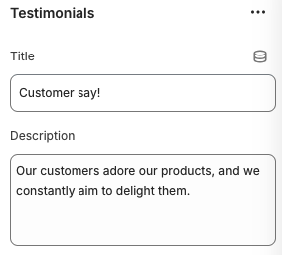
Title
- Main heading displayed above the testimonials section
Description
- Subtitle or descriptive text below the main title
Slider Settings
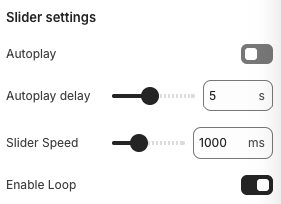
Autoplay
- Automatically advances to the next testimonial
Autoplay Delay
- Note: Works when autoplay is enabled
- Description: Time between automatic slide transitions
Slider Speed
- Speed of slide transitions
Enable Loop
- Continuously loop through testimonials
Layout Settings
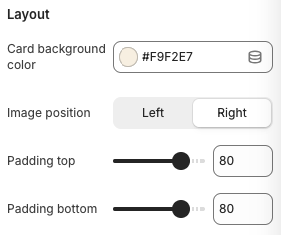
Card Background Color
- Background color for testimonial cards
Image Position
- Options: Left, Right
- Description: Controls the placement of the image relative to testimonial text
Padding Top
- Top padding for the section
Padding Bottom
- Bottom padding for the section
Block Settings
Testimonial Settings
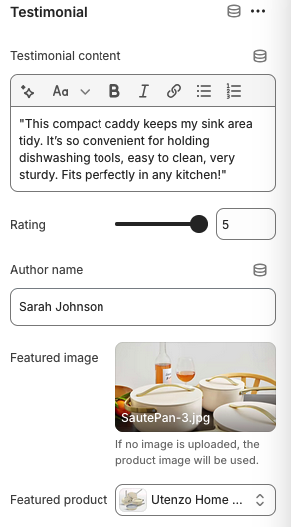
Testimonial Content
- The customer's review or testimonial text
Rating
- Star rating for the testimonial
Author Name
- Name of the customer providing the testimonial
Featured Image
- Format: JPG, PNG, WebP
- Note: If no image is uploaded, the product image will be used
- Description: Custom image to display with the testimonial
Featured Product
- Link the testimonial to a specific product
Best Practices
Content Strategy
- Use authentic customer reviews and testimonials
- Keep testimonials concise but detailed
- Include specific product benefits and features
- Use testimonials from verified customers
Visual Design
- Choose high-quality product images
- Ensure good contrast between text and background
- Use consistent styling across all testimonials
- Test readability on different screen sizes
Customer Trust
- Include customer names and verification badges
- Use real customer photos when possible
- Display star ratings prominently
- Link testimonials to actual products
Product Integration
- Choose relevant products for each testimonial
- Ensure product images are high-quality
- Include current pricing information
- Make it easy to purchase featured products
Troubleshooting
Common Issues
Testimonials not displaying
- Verify testimonial content is entered
- Check author names are provided
- Ensure featured products are selected
- Test testimonial slider functionality
Images not showing
- Check image upload status
- Verify image format is supported
- Ensure product images are available
- Test image loading on different devices
Slider not working
- Check if JavaScript is enabled
- Verify no conflicts with other scripts
- Test navigation arrows functionality
- Ensure proper CSS is loaded
Layout issues
- Check image position settings
- Verify padding and spacing values
- Test responsive breakpoints
- Ensure proper CSS loading
Mobile responsiveness problems
- Check mobile image position settings
- Verify mobile padding settings
- Test touch navigation on mobile
- Ensure text is readable on small screens
Rating display issues
- Verify rating values are set (1-5)
- Check star rating CSS is loaded
- Test rating display on different browsers
- Ensure rating values are valid