Collapsible Content Section
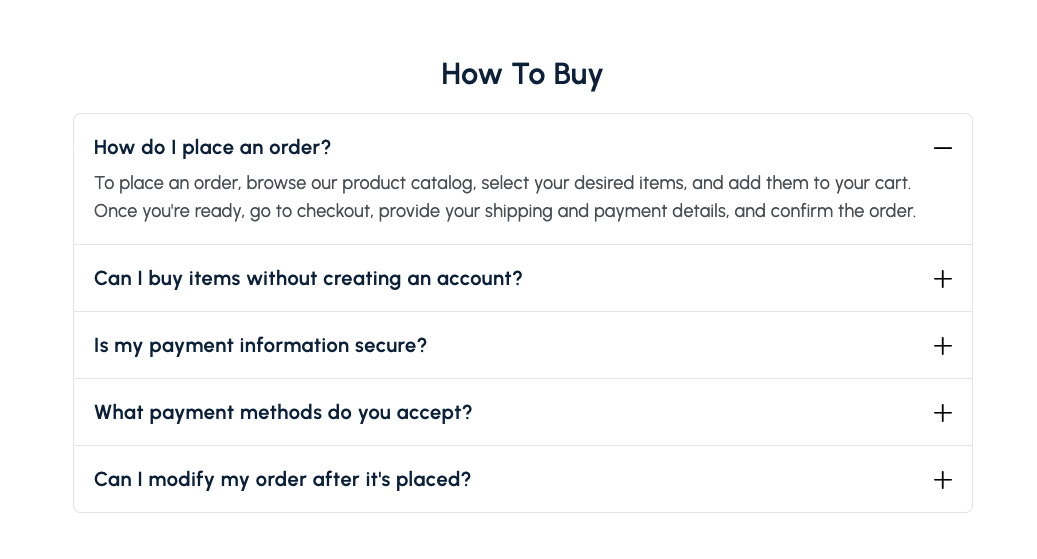
Present FAQs or grouped content in expandable rows with customizable headings and layout controls.
Overview
The Collapsible Content Section is ideal for FAQs, policies, or any information that benefits from a question-and-answer format. Each row expands to reveal rich text content, keeping the page tidy while still providing details on demand.
How to add
Steps:
- In the theme editor (Customize), click Add section
- Select Collapsible content
- Save
Section Settings
Content
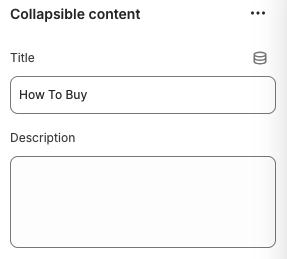
Title
- Main heading displayed above the collapsible rows.
Description
- Optional introductory text that appears below the title.
Layout
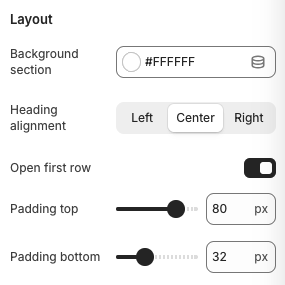
Background Section
- Controls the background style for the entire section (e.g., Transparent, Accent).
Heading Alignment
- Options: Left, Center, Right
- Description: Sets the alignment for the section heading and description.
Open First Row
- Toggles whether the first collapsible row is expanded by default when the page loads.
Padding Top / Padding Bottom
- Adds vertical spacing above and below the section.
Block Settings
Collapsible Row
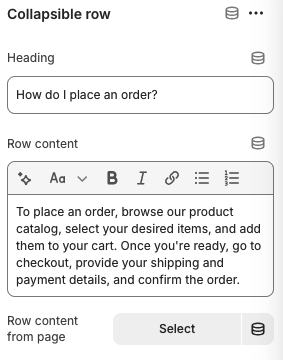
Heading
- Title shown on the row toggle (e.g., a question or topic).
Row Content
- Rich text area for the expandable answer or description. Supports basic formatting, links, and lists.
Row Content from Page
- Optionally link to existing page content; the row body will render the selected page’s content instead of manual text.
Best Practices
- Keep row headings concise and phrased as common questions to improve scanability.
- Use the description area to provide context, such as “Find quick answers about shipping and returns.”
- Limit each row to one topic; create additional rows instead of stacking multiple answers together.
- When using long-form content, include bullet points or bold text to aid readability.
- Enable “Open First Row” only when you have a primary message that most shoppers should see immediately.
Troubleshooting
Rows not expanding
- Ensure JavaScript is enabled and no conflicting scripts override the section.
Formatting looks off inside rows
- Check for extraneous HTML in the rich text editor or when pulling content from pages.
Spacing feels uneven
- Adjust padding values or heading alignment to balance the layout with surrounding sections.